


Open the utility by double clicking on the icon at the bottom right hand side of the screen.

XP:
Click on "Site Survey" on the left hand side. Highlight your network and click connect.

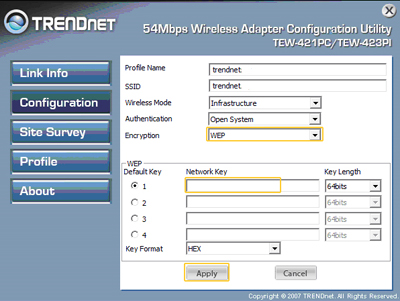
If you have encryption enabled on the network it will take you to the configuration page. Click on "Configuration" and enter your encryption values and then click "Apply". It will then Switch you over to the Link Info page.

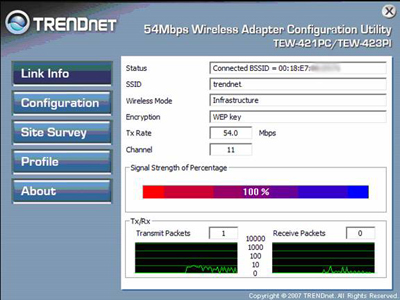
If you did not have encryption enabled it will Switch over to the "Link Info" screen. If the connection was successful you will receive status bars for Signal Strength and Link Quality.

Vista:
Click on "Site Survey" on the left hand side. Highlight your network and click connect.
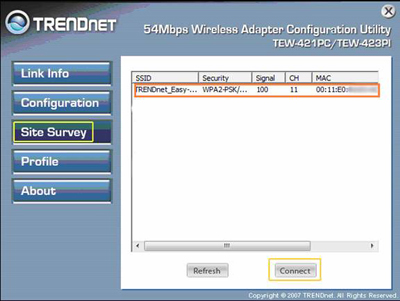
If there is an encryption enabled on the network it will take you to the configuration page. Type in the network key then click "Apply". It will then Switch you over to the Link Info page. If there is no security you will automatically be taken to the Link Info page to show signal strength.
If the connection was successful you will see a connection percentage in the status bar for Signal Strength.
- I cannot open the wireless configuration utility. What should I do?
- I completed all the steps in the quick installation guide, but my card isn't connecting to my access point. What should I do?
- Why is the Wireless Networks tab missing under the properties of my wireless network connection?
- Windows is unable to recognize my hardware. What should I do?
- How do I use Windows to configure my wireless adapter?