


Search FAQs
Browse by Product
How do I connect to my wireless network?
FAQ ID: 719 Product: TEW-504UBUpdated:1/11/2006 7:53:44 PM
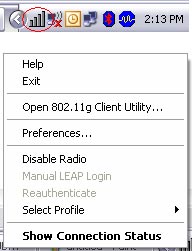
Open the utility by right clicking on the icon at the bottom right hand side of the screen and going to Open 802.11g Client utility.
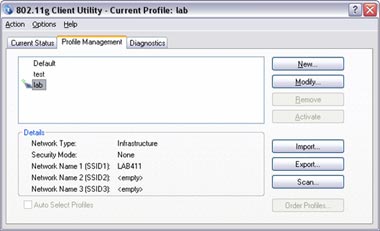
Click on the Profile Management tab then click on scan.
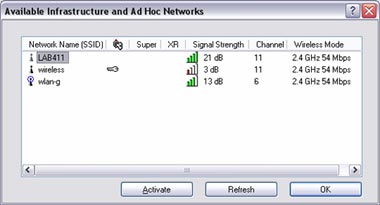
Highlight the wireless network you want to connect to. Click "Activate" then click ok.
It will ask you to name the profile and click ok.
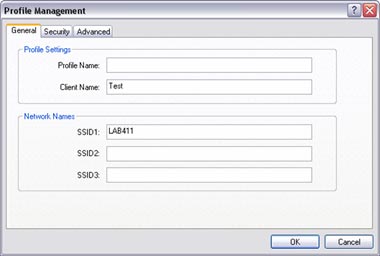
If you have encryption enabled. Go to the security tab and enter your Security settings.
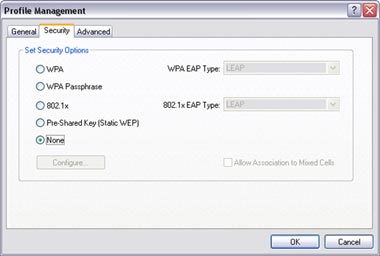
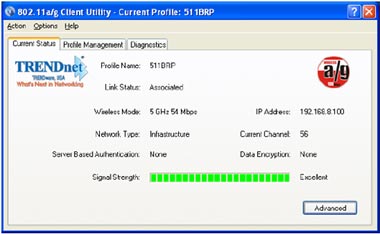
If you did not have encryption enabled it will Switch over to the Current Status tab. If the connection was successful you will receive status bars for Signal Strength.
Related FAQs:
Attachments:
No attachments found.