


Search FAQs
Browse by Product
I receive an elevation error when I run the EasyGo Setup on my Windows Vista PC. What can I do?
FAQ ID: 1421 Product: TEW-632BRPUpdated:1/19/2008 1:09:23 AM
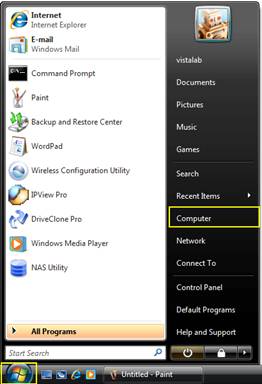
Step 1: Click the Microsoft Windows icon and then click "Computer".
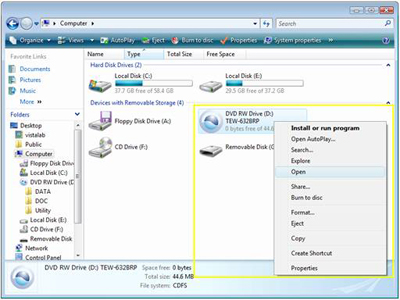
Step 2: Right click on the CD-ROM/DVD-ROM drive and click Open.
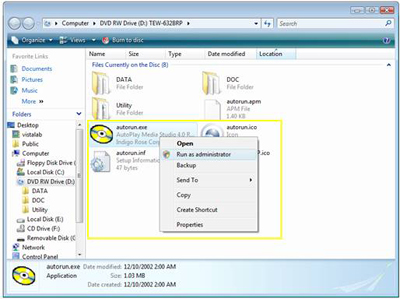
Step 3: Right click on autorun.exe and click Run as administrator.
Step 4: Repeat the steps in the QIG.
Related FAQs:
Attachments:
No attachments found.