How do I enable the Wireless Zero Configuration service?
FAQ ID: 789 Updated: 3/10/2006 8:58:24 PM
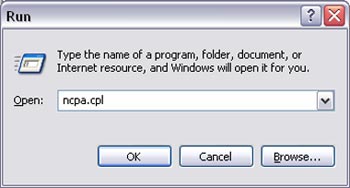
Step 1 Click on Start then Run. Type in "ncpa.cpl", without the quotes, and hit enter.
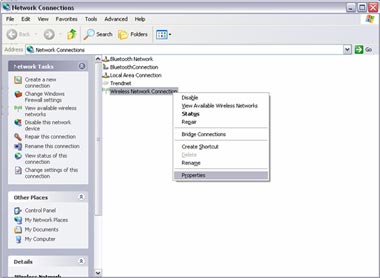
Step 2 This will open the Network Connections window. Right click on your wireless network connection and click on properties.
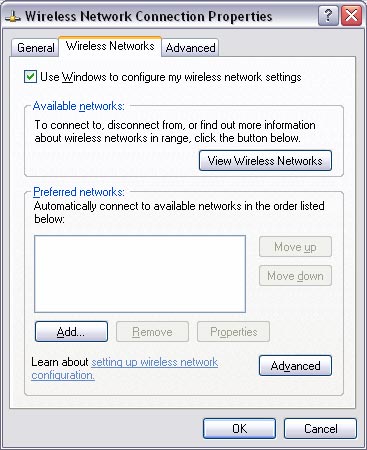
Click on the Wireless Networks tab and place a check in "Use Windows to configure my wireless settings" at the top. Click "OK.
Related FAQs:
- How do I connect to my wireless network?
- How do I configure encryption on my wireless adapter?
- Why is the Wireless Networks tab missing under the properties of my wireless network connection?
- Why does the Wireless Network Connection Properties come up when I double click on the icon?
- Why am I getting low signal strength?
Attachments:
No attachments found.