How do I configure encryption on my wireless adapter?
FAQ ID: 787 Updated: 3/10/2006 8:32:19 PM
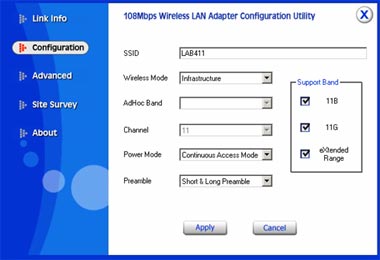
Step 1 Open the utility double clicking the icon in the bottom right hand side of the screen.

Step 2 Click on the "Advanced" link on the left hand side and enter in your security settings then click Apply.
Related FAQs:
- How do I connect to my wireless network?
- How do I enable the Wireless Zero Configuration service?
- Why is the Wireless Networks tab missing under the properties of my wireless network connection?
- Why does the Wireless Network Connection Properties come up when I double click on the icon?
- Why am I getting low signal strength?
Attachments:
No attachments found.