


Search FAQs
Browse by Product
How do I set a password on my TV-IP121W and TV-IP121WN and create user accounts?
FAQ ID: 2290 Product: TV-IP121WNUpdated:4/11/2011 5:03:30 PM
Log in to the camera by entering the camera's IP address into your browser. The default IP address is https://192.168.10.30. The default username and password are both "admin".
After you have logged into the camera do the following.
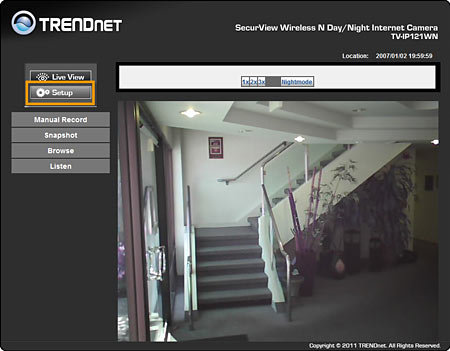
-Click Setup
-Click Basic>User
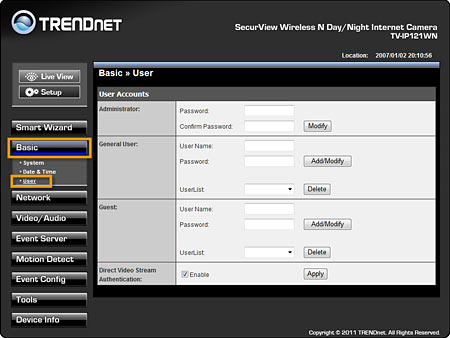
You can define the Administrator Password, the username cannot be changed on the administrator account, the General User and Guest account log in parameters.
The Administrator account allows full control of the unit.
The General User account has access to the camera's settings but cannot make changes to them.
The Guest account does not have access to the camera settings and can only view the video stream
Related FAQs:
Attachments:
No attachments found.