


Search FAQs
Browse by Product
How do I connect my TV-IP121W and TV-IP121WN to my wireless network?
FAQ ID: 2289 Product: TV-IP121WNUpdated:4/11/2011 5:03:08 PM
Log in to the camera by entering the camera's IP address into your browser. The default IP address is https://192.168.10.30. The default username and password are both "admin".
After you have logged into the camera do the following.
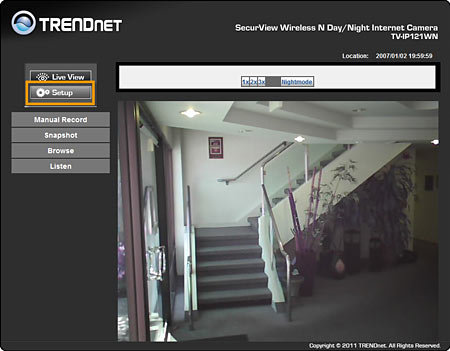
-Click Setup.
-Click Network>Wireless.
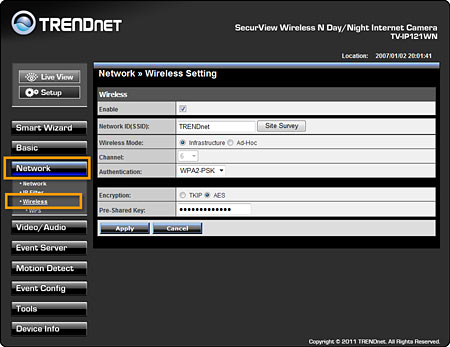
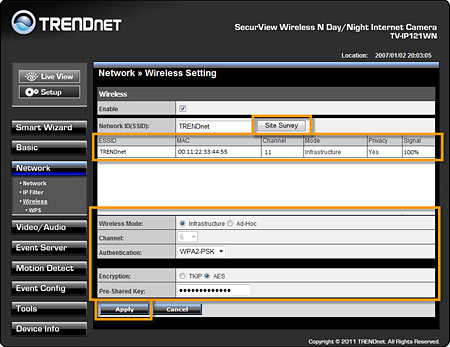
-Click the Site Survey Button.
This will display a list of wireless networks in range of the camera. Select your network and configure the authentication parameters to match your existing wireless network settings. Then click "Apply".
Related FAQs:
Attachments:
No attachments found.