


Search FAQs
Browse by Product
How do I control the pan and tilt of the TV-IP400(w)?
FAQ ID: 688 Product: TV-IP400Updated:12/20/2005 3:08:07 PM
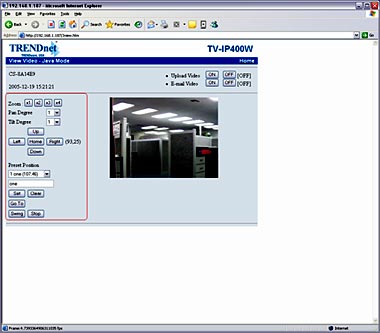
From the web-based interface when viewing the image through Java or Active X the controls are on the left hand side.
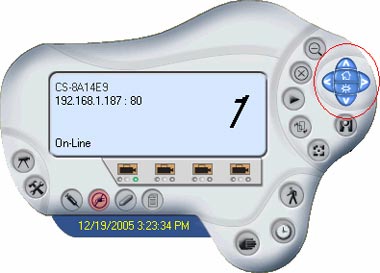
You can also control the pan and tilt through the IPView SE application.
Related FAQs:
- How do I reset my TV-IP400(w) back to factory defaults?
- How do I set a password on my TV-IP400(w)?
- How can I view the TV-IP400(w) remotely if it’s behind a router or firewall?
- How do I view the TV-IP400(w)’s image using IPView SE?
- How can I configure my TV-IP400(w) through the web-based configuration?
Attachments:
No attachments found.