


Search FAQs
Browse by Product
I cannot open the utility. The icon is missing or everything is grayed out in the utility.
FAQ ID: 714 Product: TEW-503PIUpdated:1/11/2006 7:34:57 PM
The Windows Wireless Zero Configuration Utility is running. Make sure you disable it.
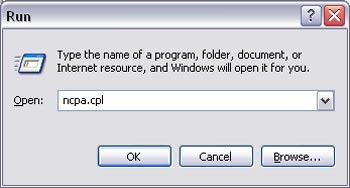
Step 1 Click on Start then Run and type in ncpa.cpl and click OK.
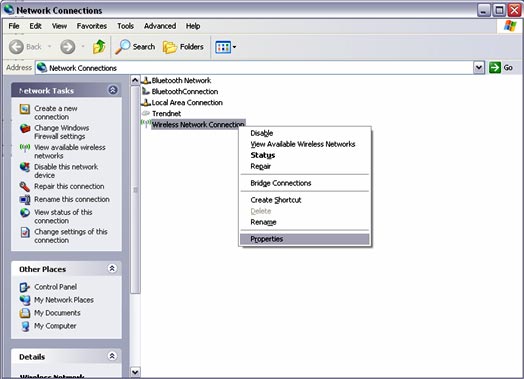
Step 2 This will open the Network Connections window. Right click on your Wireless Network Connection and click on properties.
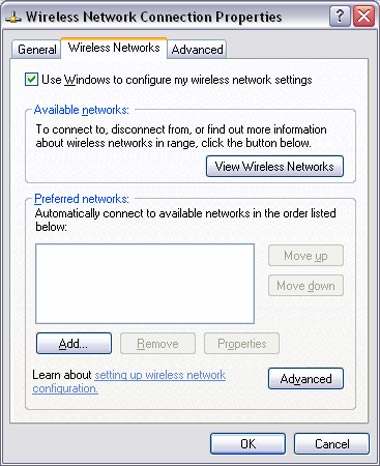
Step 3 Click on the Wireless Networks tab and uncheck Use Windows to configure my wireless network settings at the top. Click OK.
Related FAQs:
Attachments:
No attachments found.