


Search FAQs
Browse by Product
How do I configure a VPN tunnel with both sides having static IP addresses?
FAQ ID: 765 Product: TW100-BRV304Updated:1/30/2006 8:07:47 PM
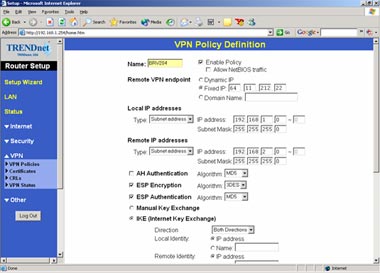
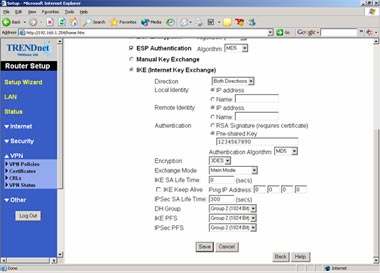
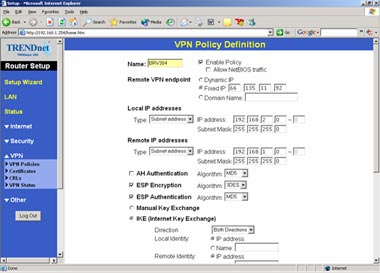
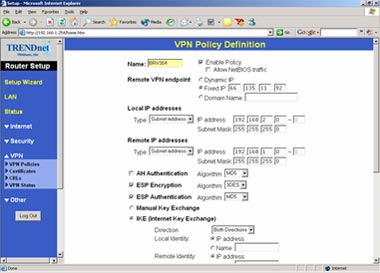
Use the following screenshots as a guide.
Scenario
PC1 (192.168.1.x)-BRV204 (66.135.11.92) ~ BRV304 (64.11.212.22)–PC 2 (192.168.2.x) Simply match both ends information. After the connections are created, 192.168.1.x should be able to ping 192.168.2.x.
Settings on BRV204
Settings on BRV304
Related FAQs:
- When I attempt to access http://192.168.0.1 with my web browser, an error message tells me "The page cannot be displayed." How can I get into the TW100-BRV304 web configuration page?
- How do I connect using a the Microsoft VPN Client?
- I set up my Internet Connection Type and saved it, but I still cannot access the Internet with my PC. What should I do?
- How do I configure a VPN tunnel when one side has a dynamic IP address?
- How do I forward ports in my TW100-BRV204/304?
Attachments:
No attachments found.