If you cannot see this message, click here to view.
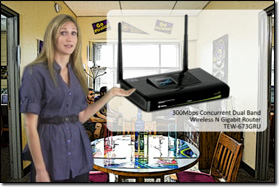
Are you headed off to school, but are unsure what you will need to stay connected? TRENDnet will walk you through the basics of setting up your dorm, apartment, or house with a high speed wireless network!
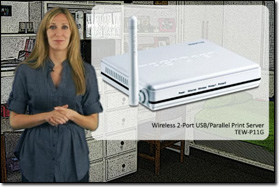
TRENDnet has a bunch of other networking solutions that will save you time and impress your friends. Watch this video to see what you need to share your printer with roommates, exchange unlimited amounts of media content fast, and connect your media center and gaming console to the Internet.
There’s a flood of different wireless technologies on the market today. One wireless n product may perform twice as fast as another. While consumers are enjoying a breadth of choice, many brands do not clearly convey performance differences between products. TRENDnet gets it and is pleased to launch a series of wireless n comparison charts. These concise charts are available for TRENDnet wireless routers, wireless access points, and wireless adapters. At a glance, users are able to compare technology features such as maximum wireless transfer rates, port speeds, security features, and more.
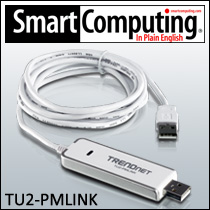
Smart Computing recommends TRENDnet’s High Speed PC and Mac Share Cable (model TU2-PMLINK) in their ‘From PC to Mac – How to Transfer Your Files’ tutorial stating, “…it works without you having to install anything. Just plug one end into a USB port on your PC and one on your Mac and then drag and drop files form one computer to another.”
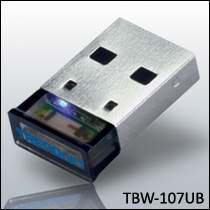
The Micro Bluetooth® USB Adapter (Model TBW-107UB) networks Bluetooth enabled devices such as cell phones, keyboards, and headsets. Slightly larger than the size of a penny, plug this micro-device into an available USB port on your laptop or desktop and experience crystal clear connectivity at distances of up to 10 meters (32.8ft). Enhanced Data Rate (EDR) technology transfers your data quickly.
If you have received this
email by mistake or would like to unsubscribe from future TRENDnet
Newsletters, click
here.